

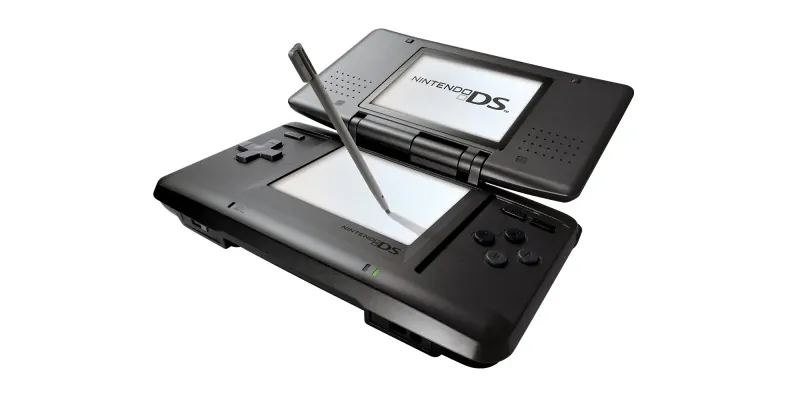
灵光守护者 NDS cheat codes are prepared from the original .cht cheat file for Nintendo DS-compatible emulators and cheat loaders. This entry is organized by release code 2058C and region Chinese.
Official platform media source: Nintendo DS Family.
NDS Cheat Code Details
Game Name: 灵光守护者
Platform: Nintendo DS
Cheat Code Version: CHT release file
Release / Database ID: 2058C
Region: Chinese
Source File: 2058C- 灵光守护者【中】.cht
Cheat Entries: 272
Entries With Codes: 272
Cheat Code Features
- 传送点全开
- 菜单限制解除、难易度全开
- 缩放5/5模式变为特写
- 金钱999999999
- 金钱变动后最大
- 战斗获得禁言后Lv99
- 升级获得CP时CP最大
- 升级时获得AP后AP最大
- ABXY键每秒60连发
- 武器不对也能使用技能
- 按键登录可以选择全部技能
- 武器防具装备无视职业、等级
Protected Cheat Code Content
password: www.imwmi.com
How to Use NDS Cheat Codes
- Back up your save data before enabling any cheat code.
- For RetroArch-based Nintendo DS cores, place the
.chtfile in the matching RetroArch cheats folder, then open Quick Menu, choose Cheats, load the cheat file, enable the codes you want, and apply changes. - For DeSmuME, DraStic, flashcart kernels, or other loaders that do not import this exact
.chtformat, copy the individual Action Replay code lines fromcheat*_code. If your loader expects one code per line, replace the plus signs with line breaks before importing. - Use only the file that matches the same game release, region, and ROM revision. If a code freezes the game, disable it and test fewer codes at the same time.
Usage Notes
Some Nintendo DS cheat codes are version-specific. Codes made for another region or ROM revision may not work correctly. Enable cheats gradually, keep a clean save backup, and restart the emulator or console after changing large code sets.
THE END





No comments yet